How I Manage My Emails: Simple, Fast, and Intentional
Published on June 11, 2025
Email used to be a source of stress for me. Thousands of messages cluttering my inbox, important emails getting lost in the noise, and no clear system for actually dealing with what needed my attention.
Now, my email feels intentional. Every message gets dealt with, my inbox reflects my actual to-dos, and I can navigate everything without lifting my fingers from the keyboard.
The Problem: Email as Chaos
😵💫 Before: Email Chaos
- Thousands of emails in inbox
- Clicking around to navigate
- Important emails getting lost
- Email as just communication, not task management
- No clear mental model of what needs attention
✨ After: Intentional Email
- Clean inbox that reflects actual to-dos
- Keyboard-only navigation
- Every email gets dealt with
- Clear mental model of what needs attention
- Psychological clarity and control
The shift wasn't about finding the perfect email client or complex productivity system. It was about making a few key changes to Gmail and developing a clear mental model for how email should work.
The Setup: Four Simple Changes
1. Keyboard Shortcuts (Vim-style)
I enabled GMail's built-in vim keybinds. This means I can navigate my inbox with hjkl and archive emails with E.
2. Split Layout
I use Gmail's split view: email list on the left, preview on the right. Combined with keyboard navigation, I can quickly scan through emails without clicking around.
3. Labels for Organization
I apply labels to emails as they come in - by project, urgency, or type. Nothing fancy, no nested hierarchies. Just simple tags that help me categorize what needs attention.
4. Archive Everything
The key mindset shift: I archive any email I'm done with by pressing E. My inbox only contains emails that need action.
📧 Interactive Email Navigation Demo
Use J/K to navigate, E to archive
Inbox (4)
Project timeline update
The Automation Layer
I set up filters for emails that don't need immediate attention - weekly reports, newsletters, automated notifications. These skip my main inbox and go directly to specific labels like "newsletters" or "reports."
This means my main inbox only contains emails that actually need a response or action from me.
It's not about having zero emails, for me it's about having a clear mental model of what requires my attention.
Staying Aware
I also set up a subtle notification sound for new emails. It helps me stay aware of conversations as they happen without constantly checking my inbox.
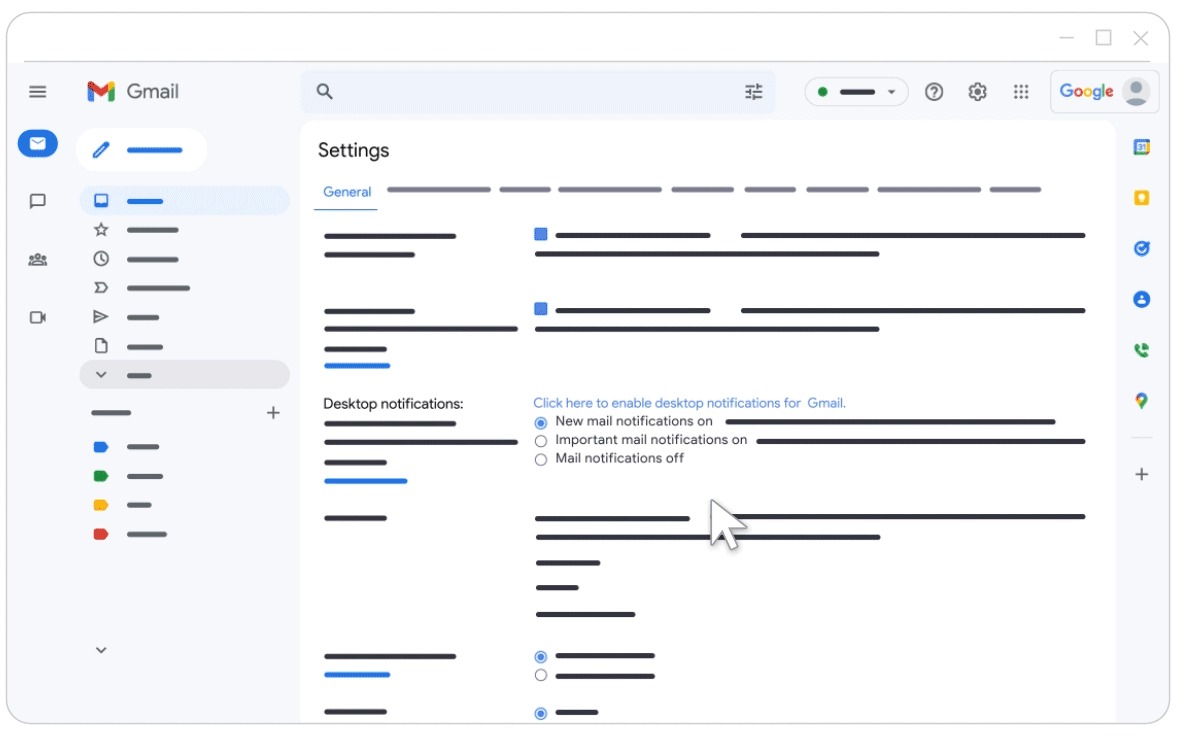
Note: This might be distracting for some people and could break your flow. Find what works for you.
The Psychology of Intentional Email
The real benefit isn't just speed or organization - it's the psychological clarity. When I open my email, I know exactly what needs my attention. Every email in my inbox represents something I need to deal with.
There's something deeply satisfying about processing an email and immediately archiving it with a single keystroke. It feels like checking off a to-do item. My inbox becomes a reflection of my actual work, not just a dumping ground for messages.
Simple, Reproducible, Fast
This setup is intentionally simple. No complex rules, no elaborate folder hierarchies, no third-party tools. Just Gmail with a few settings changed and a clear mental model for how email should work.
The goal is not to have a small inbox, it's to be aware of what's there and deal with every item at its own pace. Some emails get archived immediately, others get labeled and stay in the inbox until I can properly address them.
That's my approach to email management. Simple, keyboard-driven, and focused on maintaining a clear mental model of what needs attention.